Hello!
When you import the fbx file from liquigen, it looks like an image, how do you make it look neat? I hope it comes out as similar to the original modeling as possible.
No matter how high you turn the voxel sizing, voxel size in the image, it doesn’t work properly. I just see more of the meshs that are always weirdly sticking out.
The imported modeling was exported from C4D 2025.3.3 to FBX, and the result is the same even if you export to alembic, obj. What is the problem?
Hey thanks for letting us know about this. Can you send over the imported mesh so that we can take a look at it? You can use google drive if needed
1 Like
Hello~! I put the liquigen file and FBX file in the link here. How do I get my Alembic or FBX file collider to work properly?
hello~
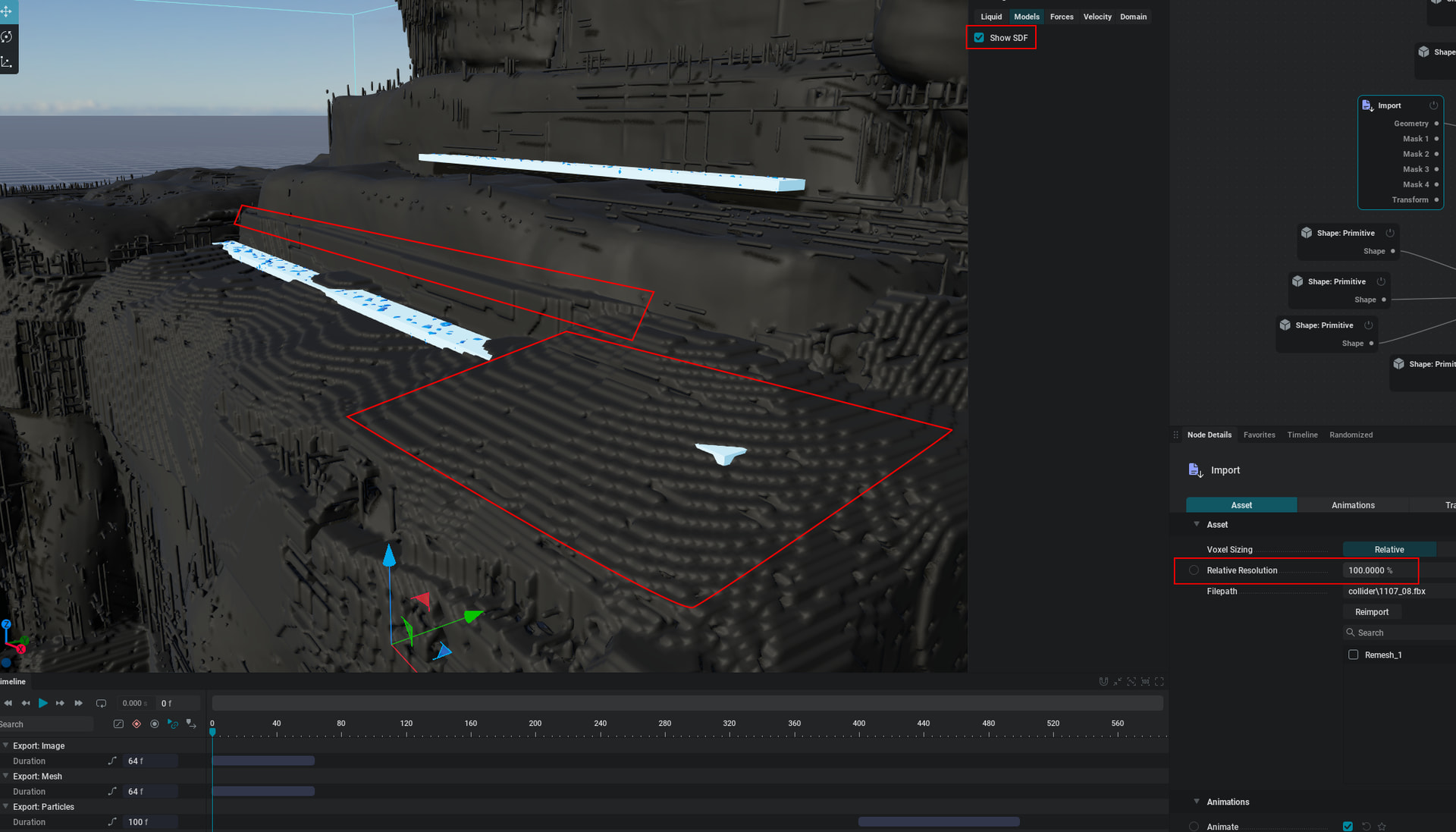
When I look at the captured image, the liquid collides in strange places. I wonder what values I need to adjust to make the crash happen properly. And is there anything that affects the settings of FBX or Alembic when exporting from other 3d programs? The image is from Google Drive’s 1107_08.fbx file.
The Liquigen version is 1.0.3, and we are using the latest version.
This is the image that shows SDF checked and unchecked. If you look at the SDF, it seems that the water jumps or crashes in a strange direction in the actual simulation because of the misrecognized mesh.
Hey you will want to make sure that your imported meshes are closed and that there is thickness applied to them. You’ll want your thickness to be 2x whatever your voxel size is. This should fix these issues!
okay. I’ll try it again, thank you!